1. Click on your profile in the upper-right corner.

2. From the left-hand menu, select Settings and scroll to the bottom to locate Close Account option.
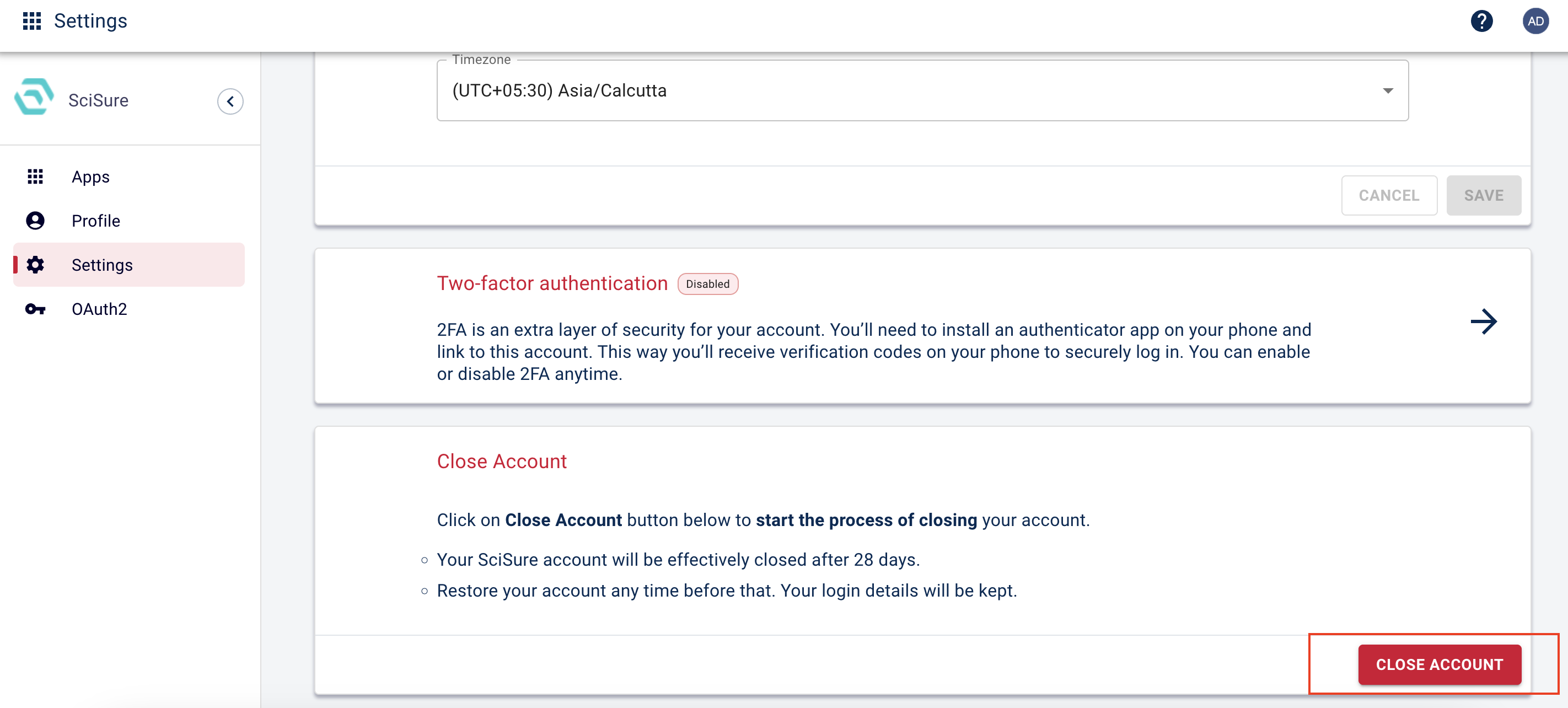
3. Click Close Account, then enter the word CLOSE in the popup to confirm and deactivate your account. Please ensure that you have exported all your data beforehand. If you have not done so, please refer to this XHTML export article for detailed instructions.
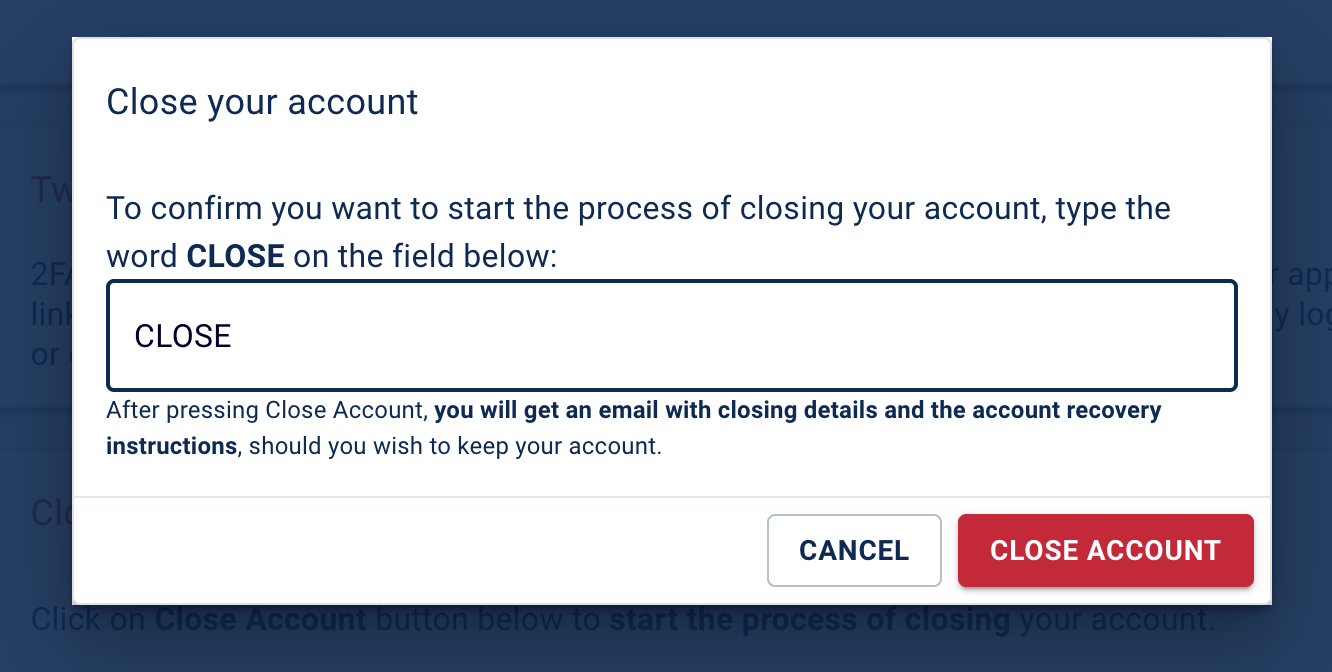
Note: Your account will be deactivated after 28 days. You may restore it anytime within this period, and your login details will be retained.
Was this article helpful?
That’s Great!
Thank you for your feedback
Sorry! We couldn't be helpful
Thank you for your feedback
Feedback sent
We appreciate your effort and will try to fix the article